Portal Login

Modified on Tue, Dec 16, 2025 at 11:11 AM

First Time Login


Access the Portal on any supported browser with your agency specific URL.  

On initial login, input your email address and click Forgot Password. 
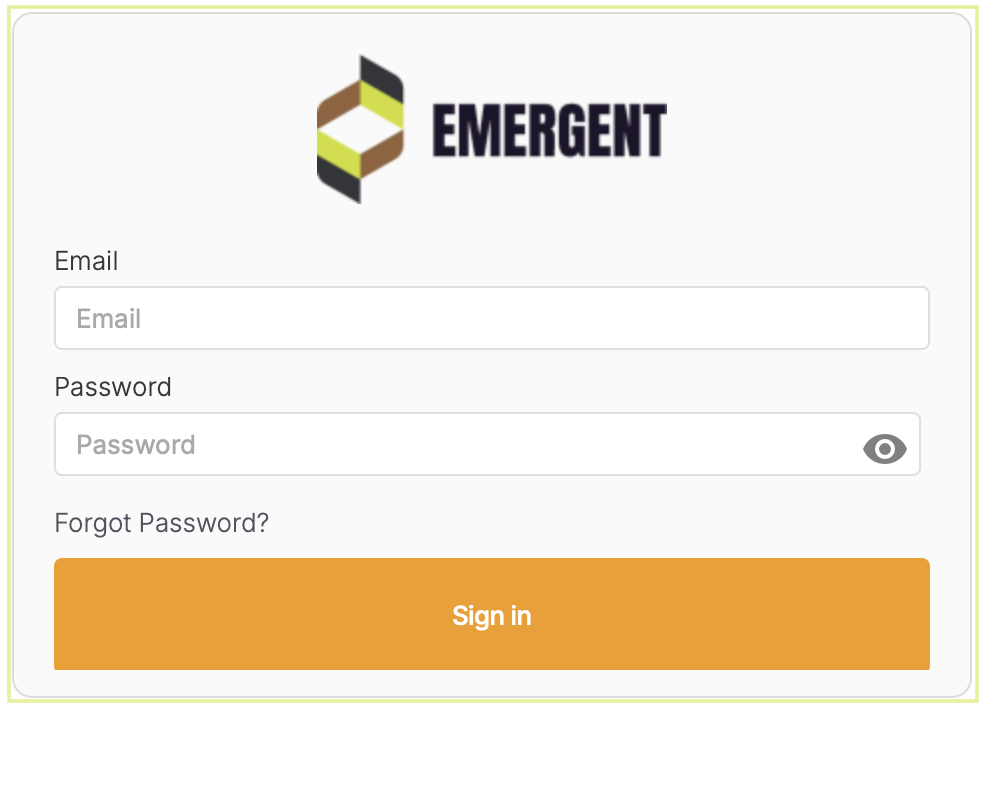
  • Email address is the username - note:  email address is Case Sensitive.


  • Passwords must be a minimum of 16 characters.

  • Browsers include Chrome, Edge, Safari and Firefox. 


  • An internet connection is required to login and use Portal.


Forgot/Reset Password

The user's password can be changed by using the Forgot Password URL. 
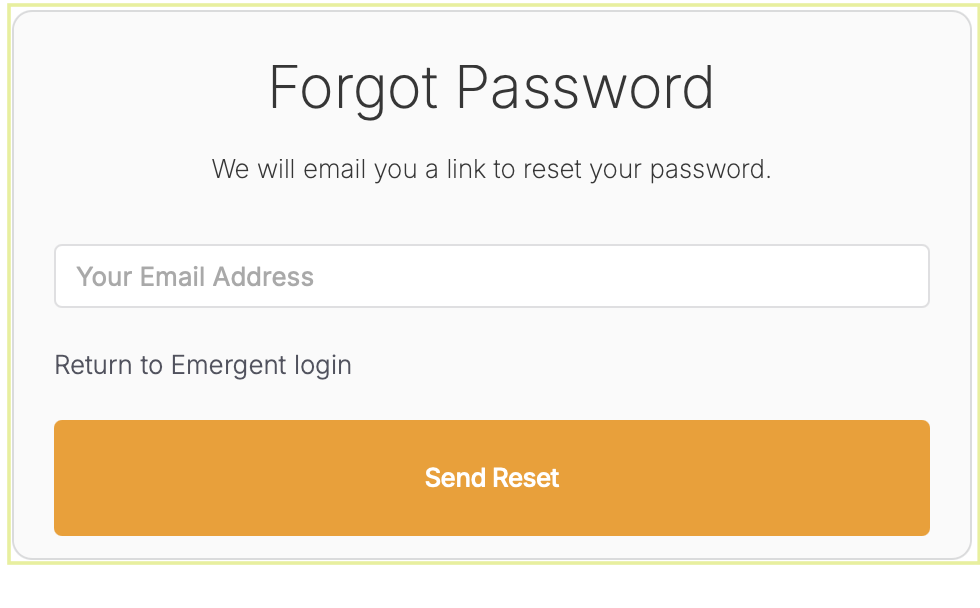
  • Input your email address and select the Send Reset button.


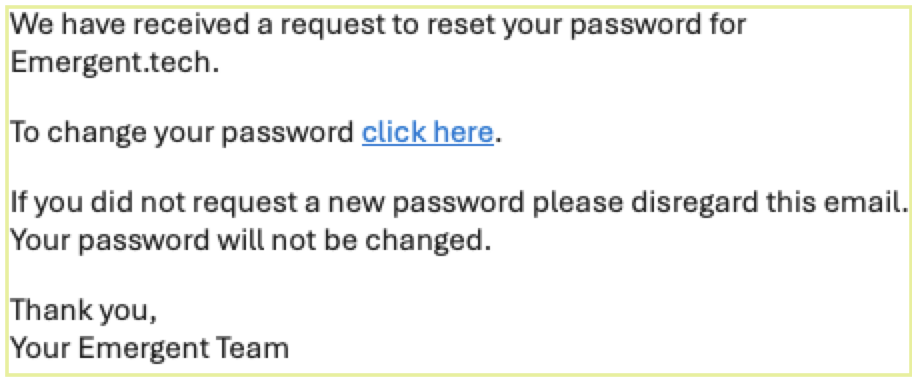
  • An email will be sent to that account.

  • Select the click here link to reset your password.


NOTE:   If the email address needs to be changed, please submit a ticket.


Was this article helpful?

That’s Great!

Thank you for your feedback

Sorry! We couldn't be helpful

Thank you for your feedback

Let us know how can we improve this article!

Select at least one of the reasons

Feedback sent

We appreciate your effort and will try to fix the article