SIM Card Installation Documents
The Telematics Control Unit (TCU) offers several methods for connecting to the internet. This document provides instructions for establishing a cellular data connection using a SIM card.
STEPS
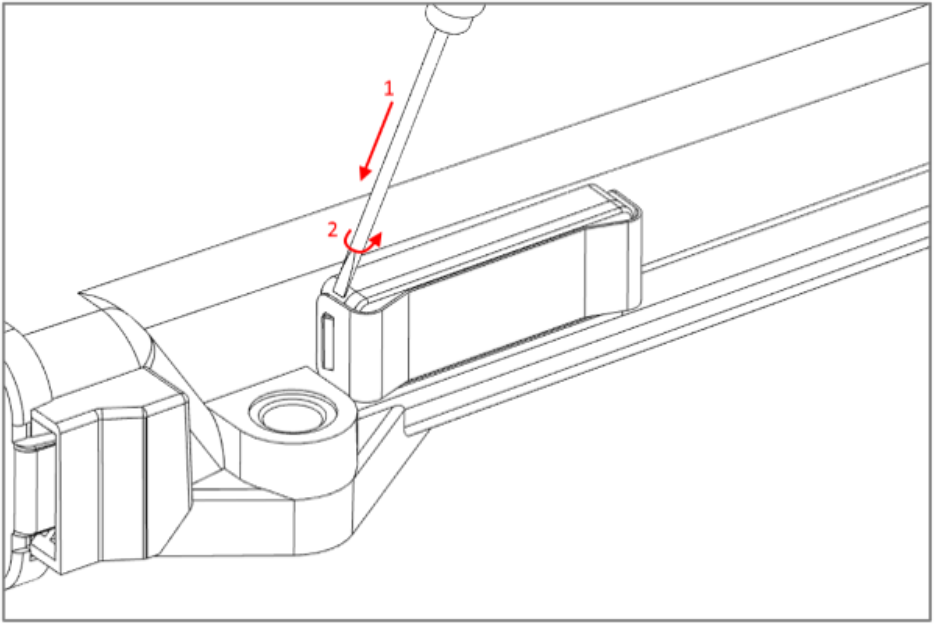
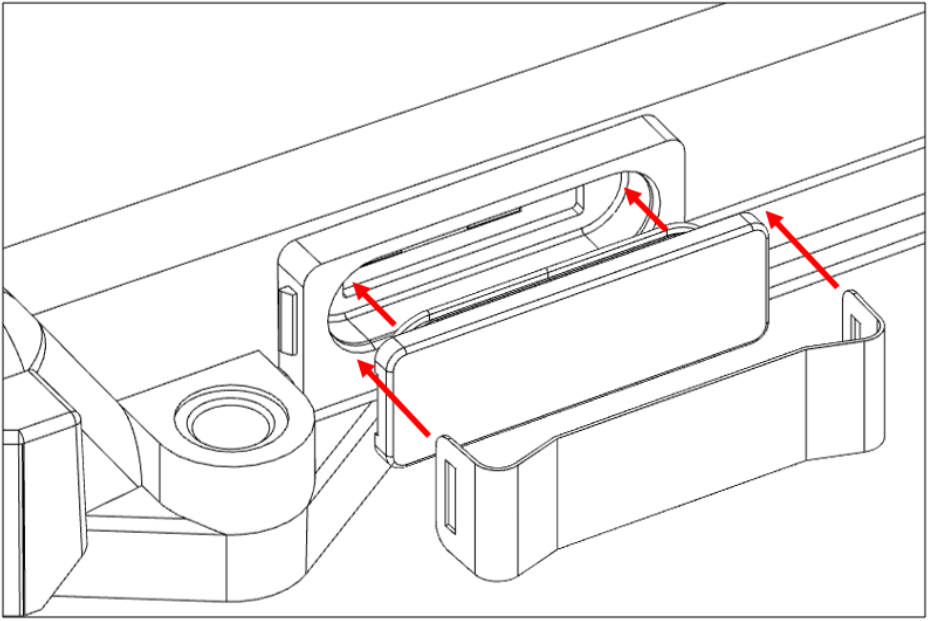
- Remove the plastic clip that holds the SIM card slot cover. To do so, insert a small flat-head screwdriver between the SIM card slot and the metal clip from above (1). Then carefully turn the screwdriver to lift the plastic clip over the plastic slot cover (2).
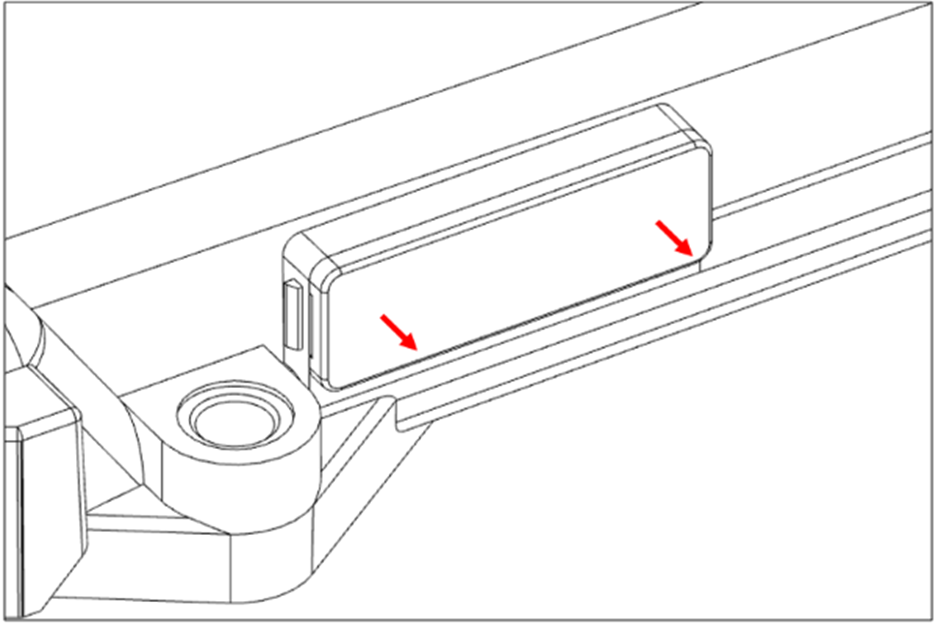
- Remove the SIM card slot cover.
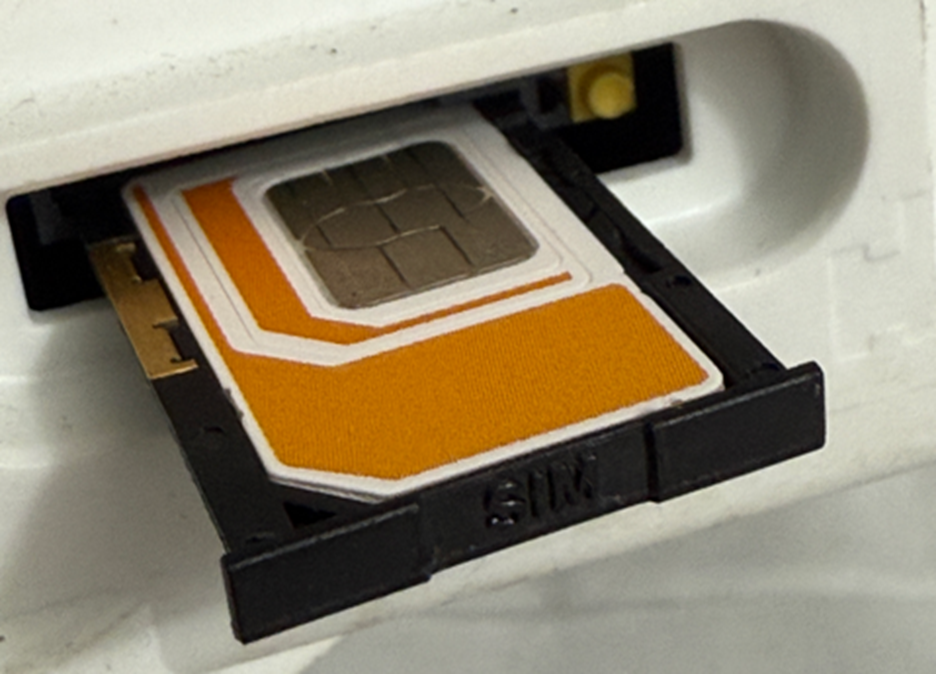
- Push in the yellow button beside the SIM card tray and remove the SIM card tray.
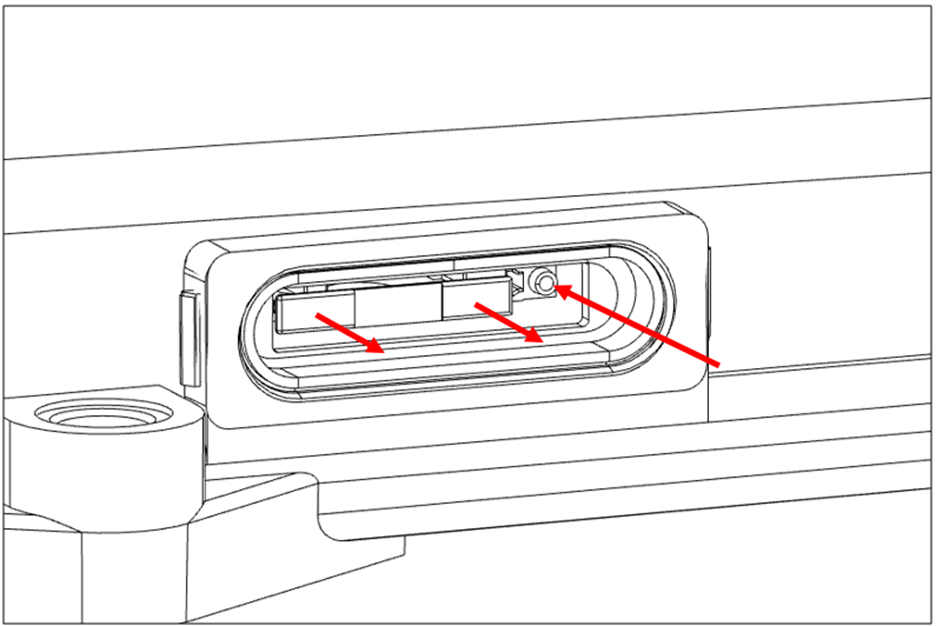 Make sure to remember the orientation of the SIM card tray.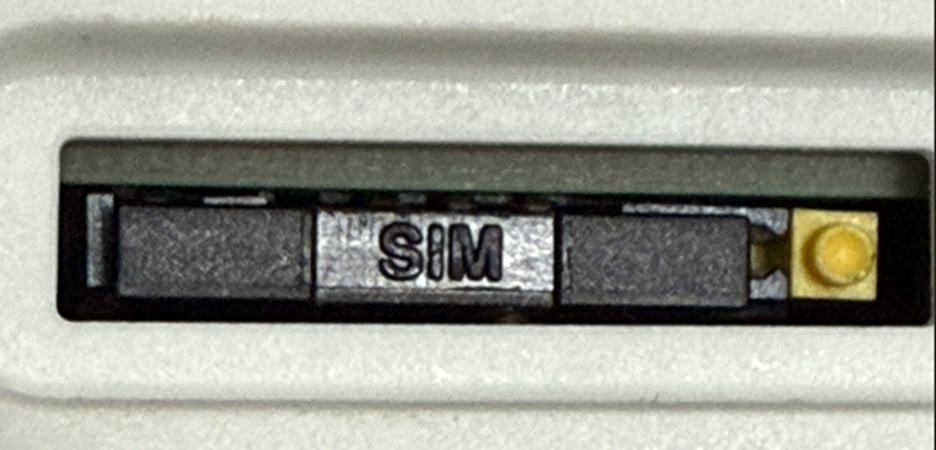
- Insert the SIM card (2FF – Mini-SIM) into the SIM card tray.
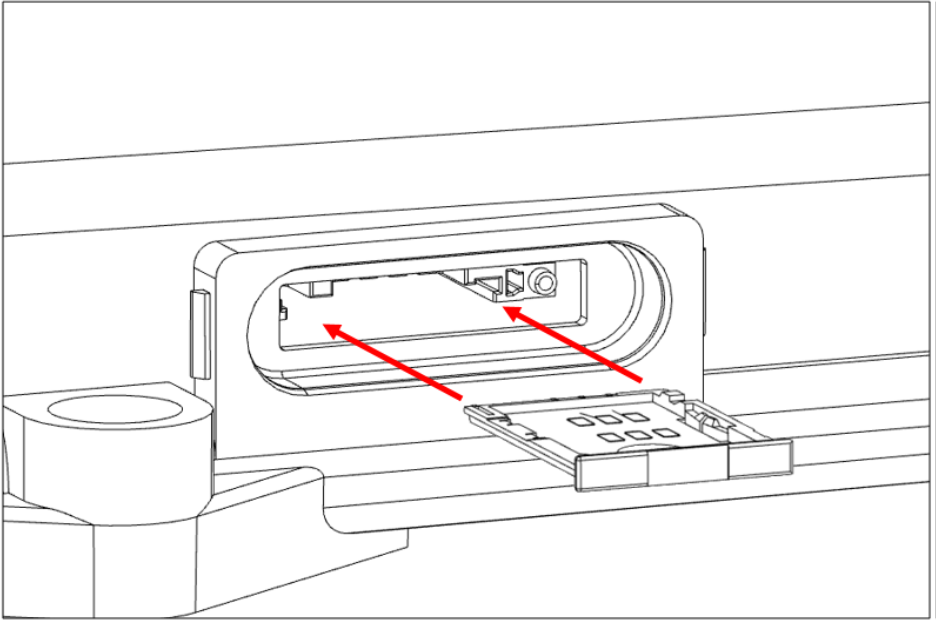
- Slide the SIM card tray back in carefully. Make sure to fit it into the guide rails.
- Reassemble the SIM card slot cover and plastic clip until the plastic clip fits the latches properly.
Was this article helpful?
That’s Great!
Thank you for your feedback
Sorry! We couldn't be helpful
Thank you for your feedback
Feedback sent
We appreciate your effort and will try to fix the article