Cancelled Calls vs Cancelled Enroute vs Cancelled on Scene
Incident reporting supports reporting when the call is cancelled vs when a Unit is Cancelled Enroute as well as when units arrive and are then cancelled on scene.
Call Cancelled: All units are cancelled prior to arriving on scene to an incident. For example an incident would be considered a Cancelled Call when a transporting agency (ambulance) cancels the fire unit before they arrive on scene.
When the Call is Cancelled, only the person responsible for the Incident report needs to take any action (unless agency policy still requires a Unit Narrative on a cancelled call).
Emergent makes logging Cancelled Calls easy from both the iPad and Portal. On the Incident Type selection window, select the Call Cancelled button and the Incident Type will be set to No Emergency > Cancelled. No other fields are required. This can be done on both the iPad and Portal.
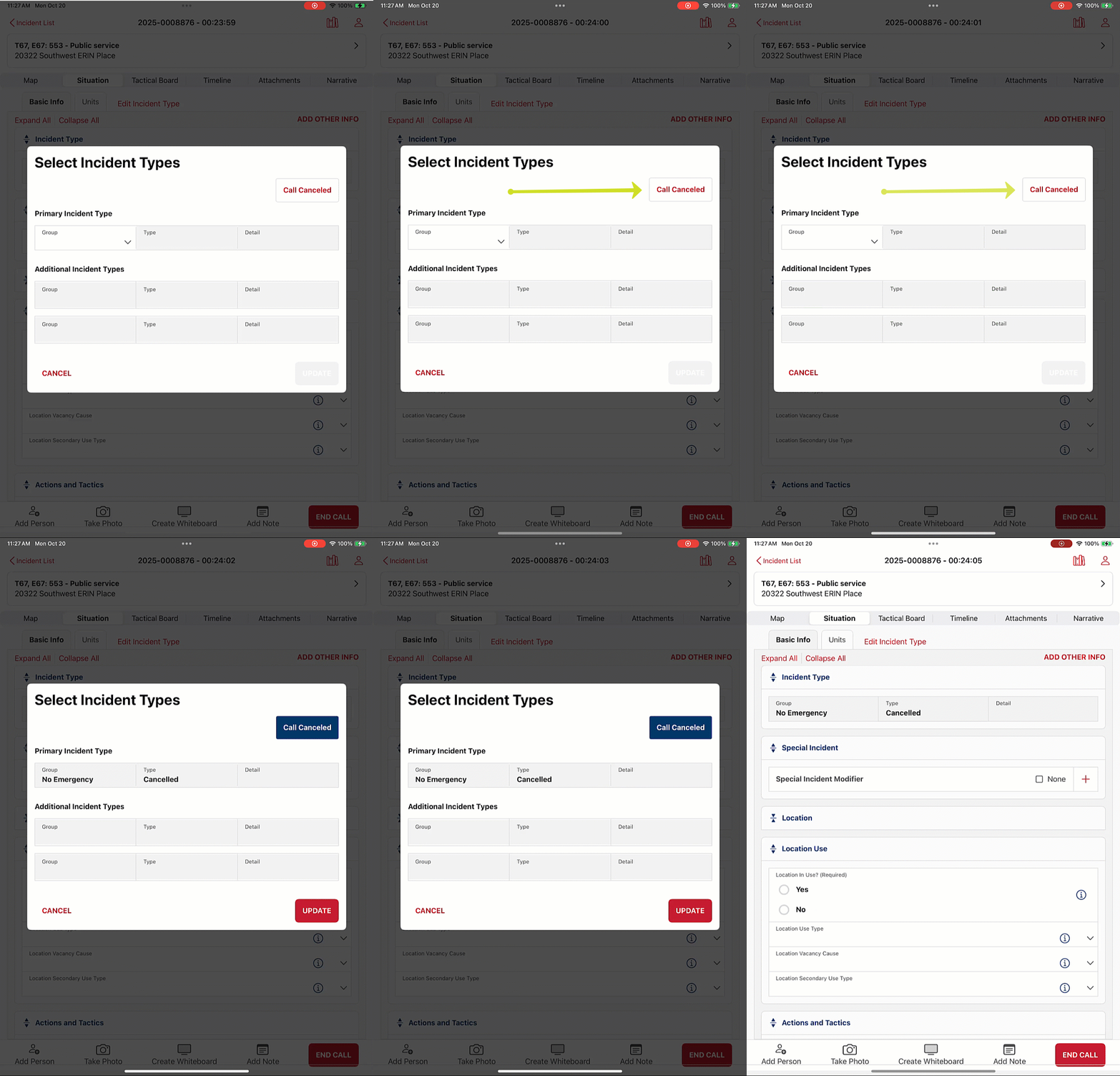
NOTE: If the Incident Report is completed on the iPad, even when the call is cancelled, the user must still hit End Call, then Upload Report, and finally, they must go into Portal to Submit the report to NERIS.
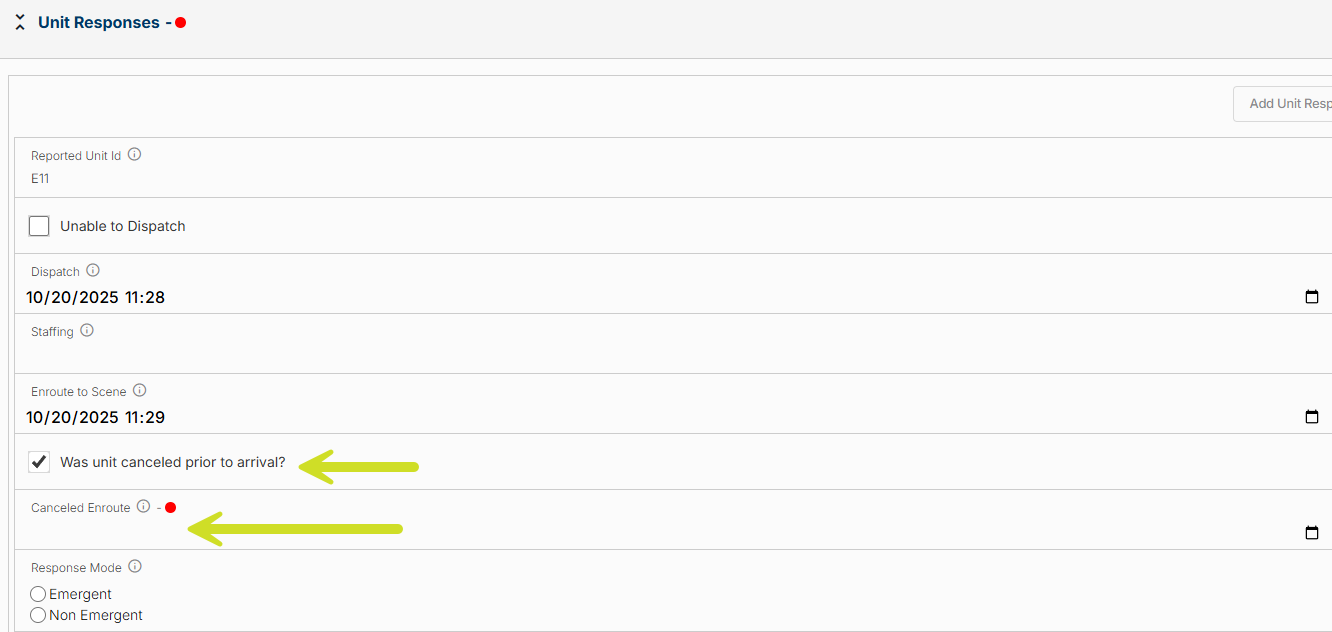
Cancelled Enroute: A unit, or multiple units, are cancelled prior to arriving to the incident, but at least 1 unit still arrives. For example, when one unit arrives on scene and cancels the other responding units.
When a unit(s) is cancelled Enroute, this is captured on the Unit Response on the Units tab. If the Unit is Cancelled Enroute, then a Cancelled Timestamp is required. This data is typically passed in via the CAD, however the person completing the Incident Report should review the Units tab to assure the data is populated.
Cancelled on Scene: One or more units arrive on scene but no action is taken because they are not needed. For example, when the transporting agency (ambulance) does not need the support of the fire unit, but the fire unit is already on scene.
When units are Cancelled on Scene, the user completing the Incident report will capture this on the Tactics tab with the Actions and Tactics set to No Action and the Noaction Type set to Cancelled.
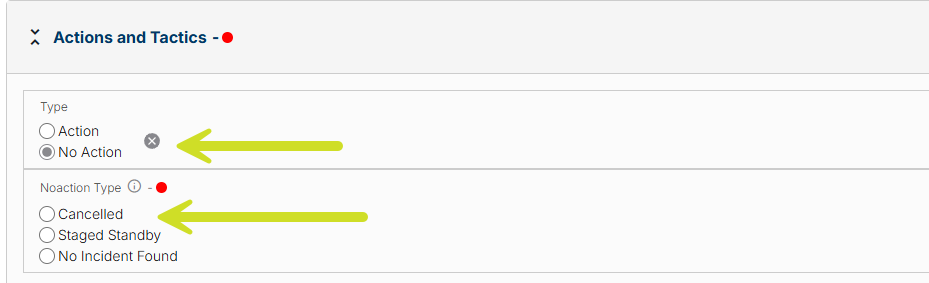
NOTE: Some Agencies may prefer to use the status of No Action>Staged Standby rather than Cancelled.
Was this article helpful?
That’s Great!
Thank you for your feedback
Sorry! We couldn't be helpful
Thank you for your feedback
Feedback sent
We appreciate your effort and will try to fix the article