Create an Incident from the iPad
There are many scenarios that may result in the need to create an incident manually. The two most common are when responding to a larger incident at a location that does not have connectivity, and you need to manually create the incident and add units in order to manage the Tactical Board or when a firefighter injury occurs and an incident needs to be created to log the injury.
In all cases, the incident needs to be created on the iPad, and then can be uploaded to Portal. There is no capability directly within Portal to create the incident.
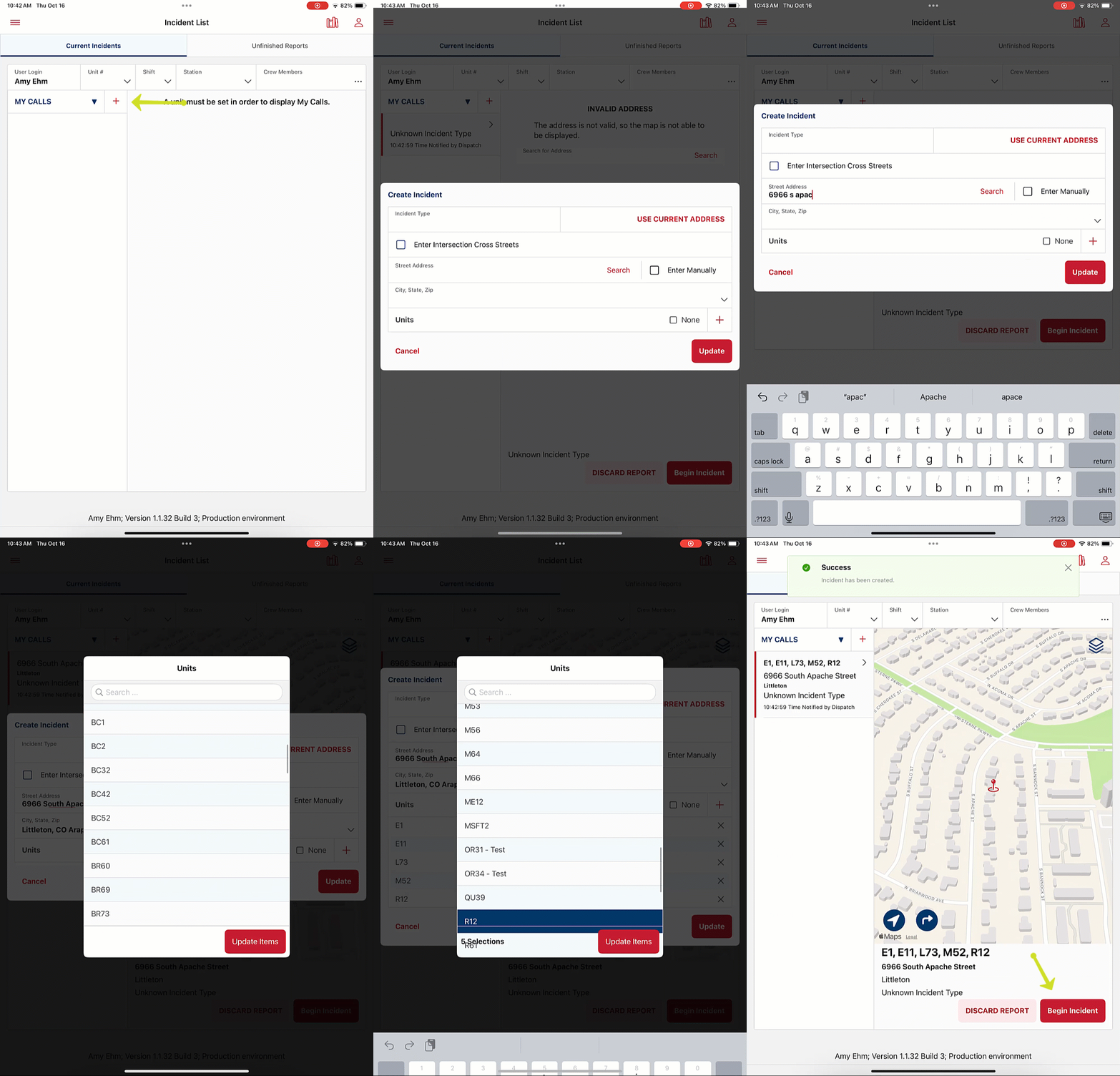
To create an incident on the iPad, tap the red + next to MY CALLS/ALL CALLS to open the create incident modal.
Input an address for the incident, and add units.
Once this is done, you can manage the incident like any other incident that flowed data from CAD.
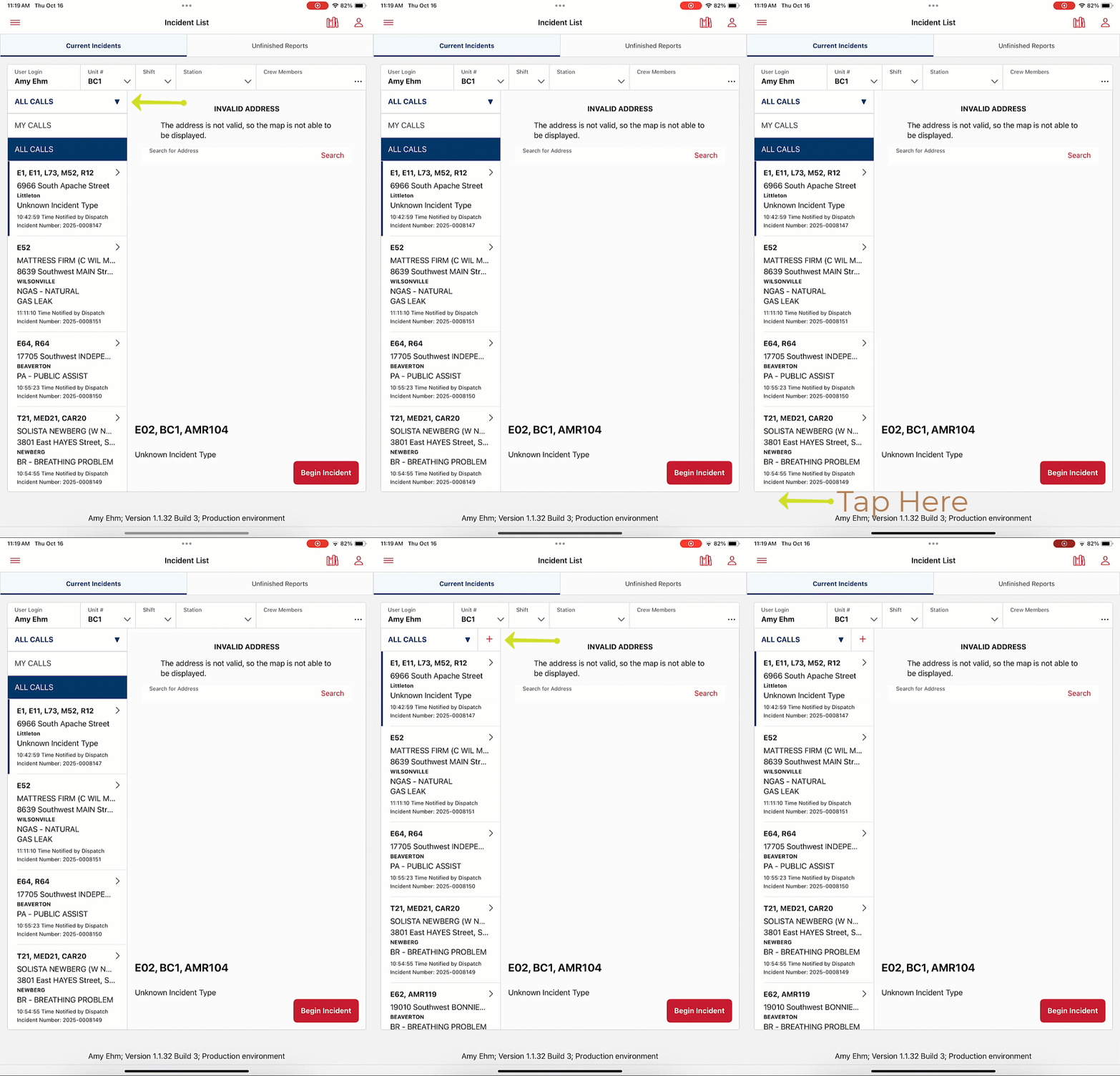
If you do not see the red + next to MY CALLS/ALL CALLS, your dropdown may be expanded.
To collapse the dropdown and get the + to display again, tap on the grey boarder of the iPad screen.
Was this article helpful?
That’s Great!
Thank you for your feedback
Sorry! We couldn't be helpful
Thank you for your feedback
Feedback sent
We appreciate your effort and will try to fix the article