Begin Incident from the iPad
Emergent users can begin to log their NERIS report on the ipad to reduce the amount of time needed sitting at a computer when they get back to the station. The iPad has a simple, yet powerful interface to make it very easy for users to record data while sitting in the engine on the way back to the station.
FIND YOU INCIDENT & BEGIN
There are a few different ways to find incidents.
Incidents will display on the Current Incidents list on the iPad for 24 hours, or until a user Ends the incident on the iPad.
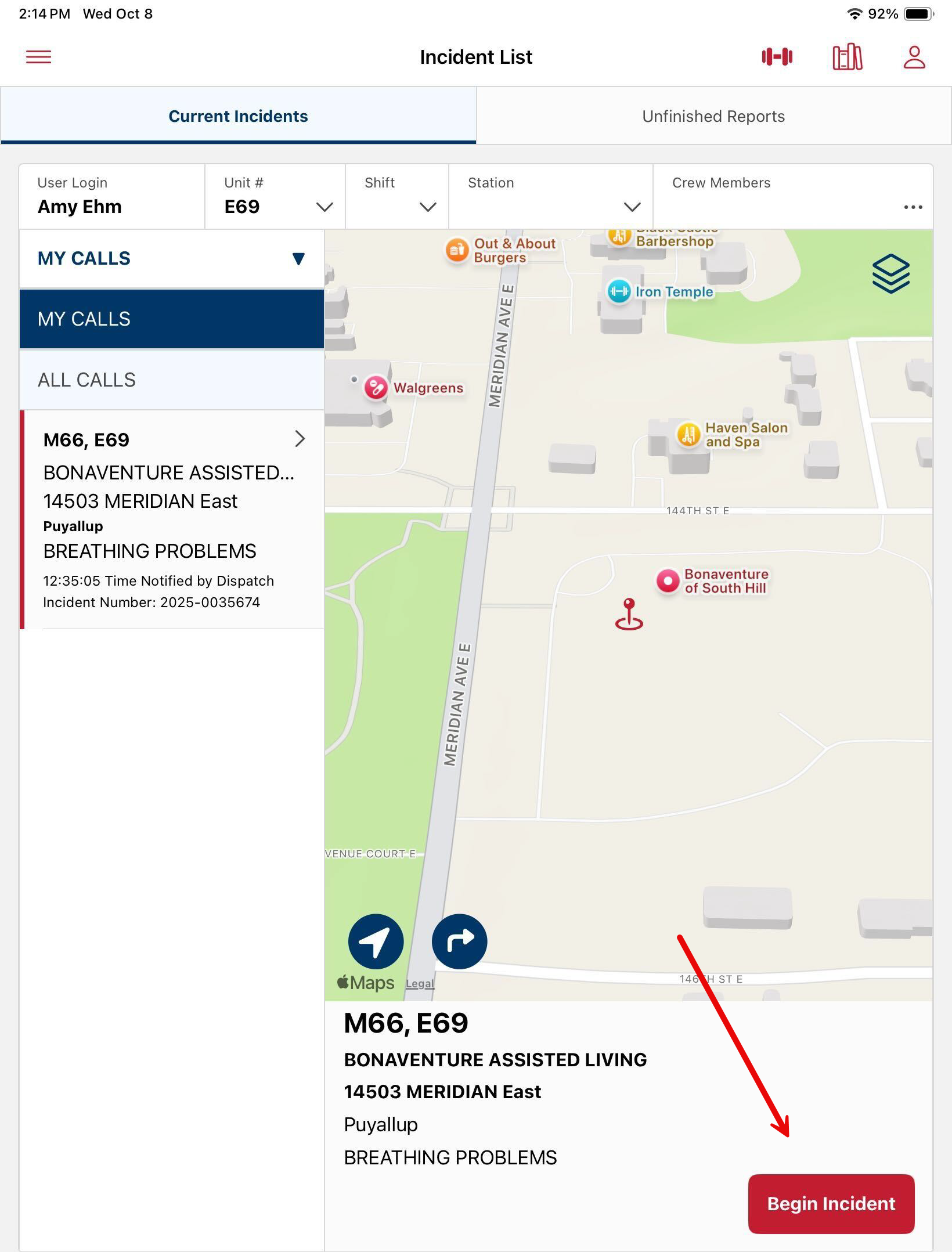
To start the incident tap Begin Incident.
Navigate to the Situation tab and record the Incident Type.
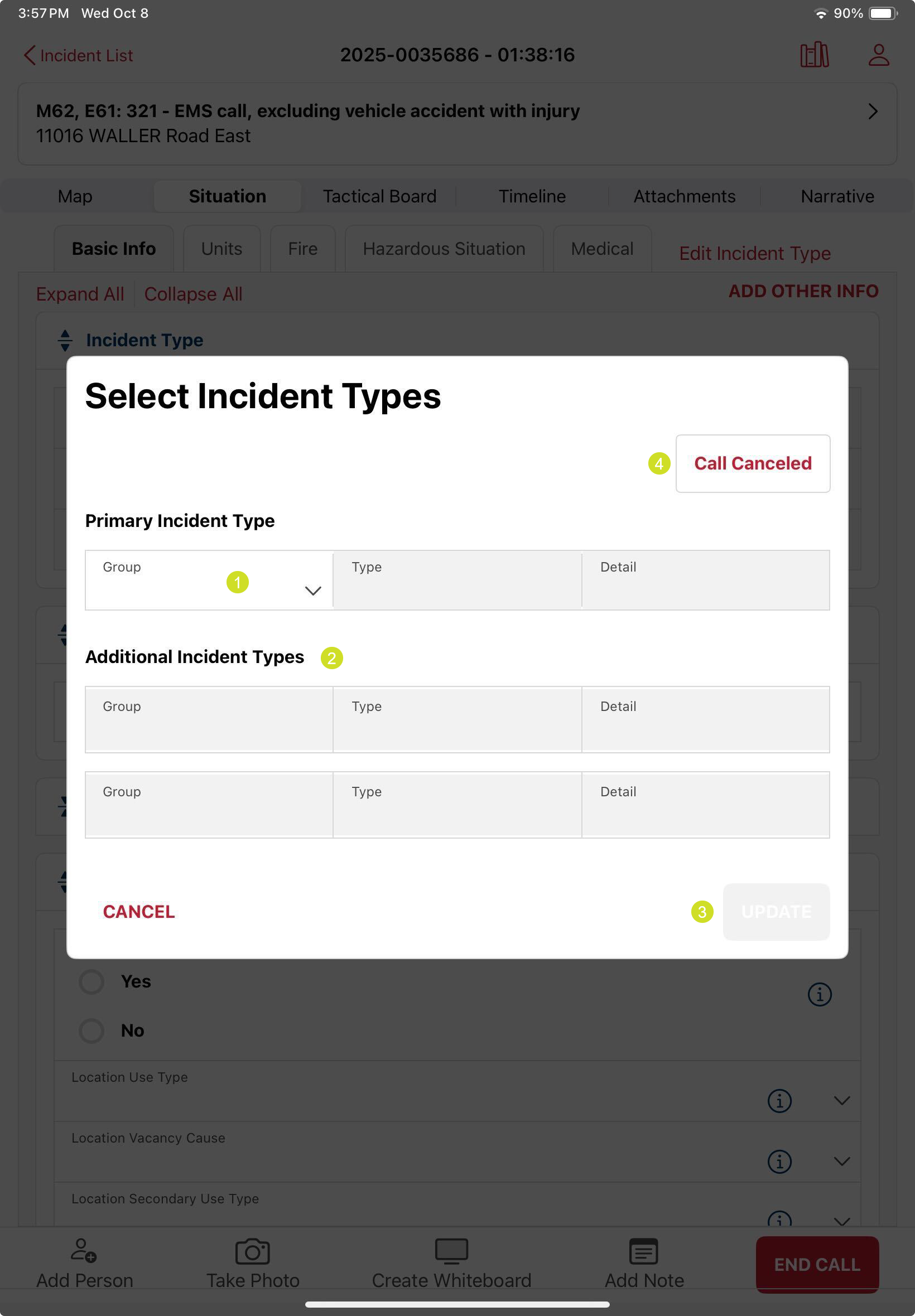
- Primary Incident Type is a required field to begin an incident report. Depending on the Group selected, the Type may need to be completed, and depending on the Type selected, the Detail may need to be selected.
- NERIS allows up to 3 Incident Types to be assigned to the incident. Additional Incident Types can be recorded here.
- Once the incident types are selected, it is required to tap UPDATE to apply the selection.
- If the call is canceled, the Call Canceled button provides a speedy way to record it.
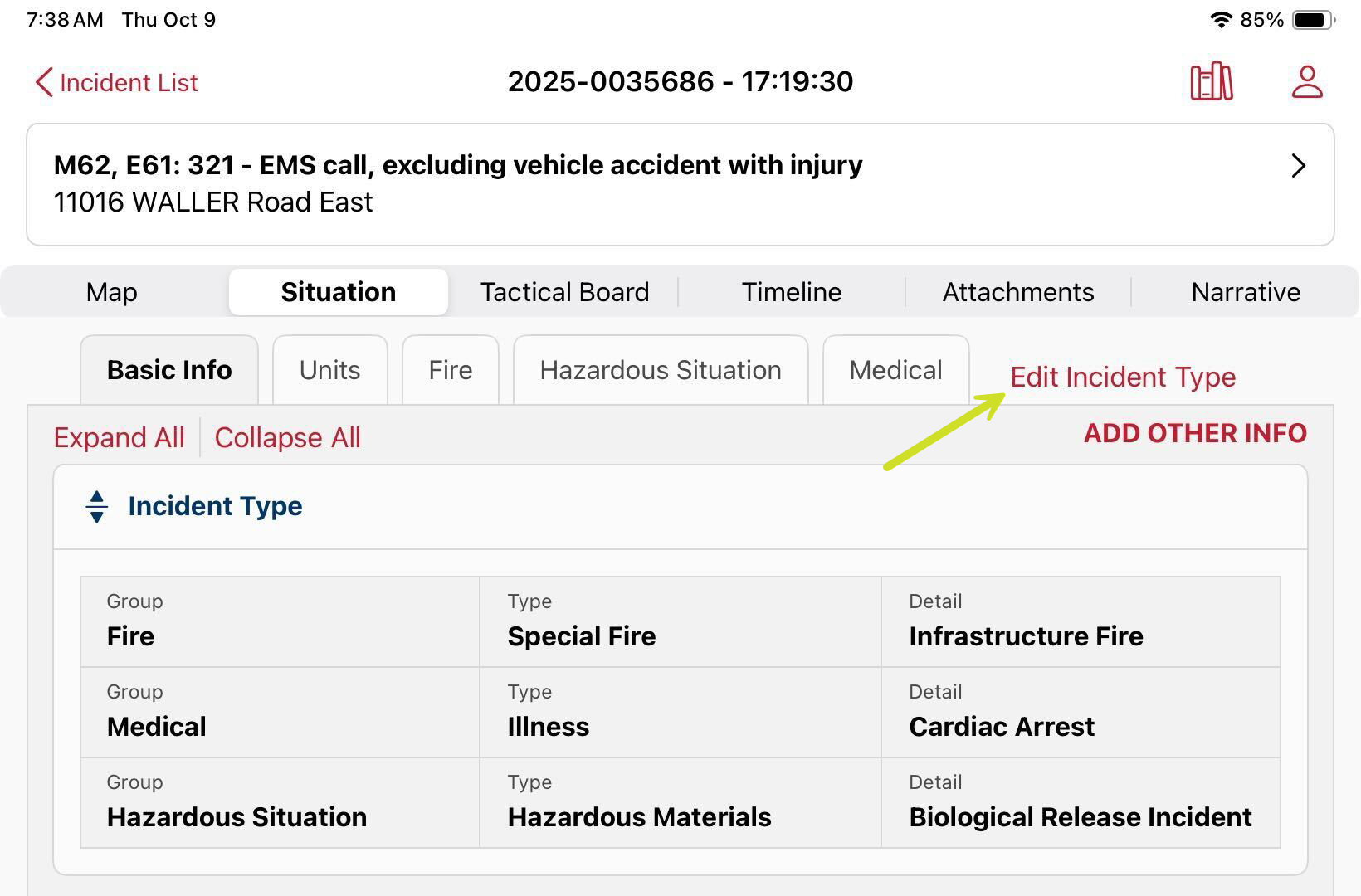
If you need to Add or Edit an Incident Type after it has been initially set, tap Edit Incident Type.
Begin and Incident on the iPad and Finish it on Portal
Was this article helpful?
That’s Great!
Thank you for your feedback
Sorry! We couldn't be helpful
Thank you for your feedback
Feedback sent
We appreciate your effort and will try to fix the article