iPad Incident Detail Tabs and Additional Info
In Portal, the default Incident view has 8 tabs to collect the incident information, and depending on the Incident Type selected, additional tabs may be added for Fire, Hazardous Situation (HazSit) and Medical.

The iPad does not have the display area to have 8-11 tabs display. On the iPad, only 2 tabs display: Basic Info and Units, and depending on the Incident Type selected, additional tabs may be added for Fire, Hazardous Situation and Medical.

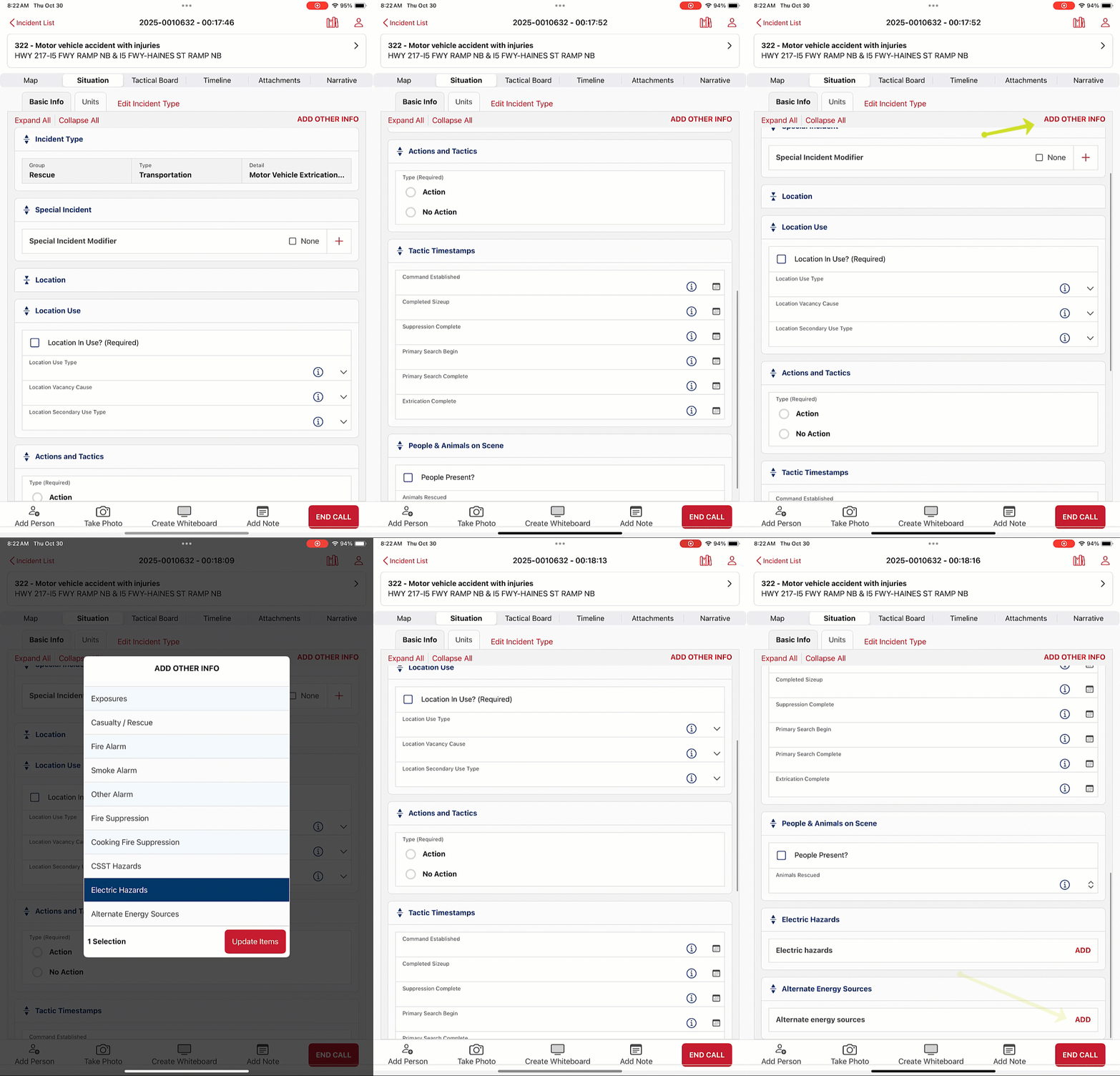
On the iPad, the Basic Info tab also contains the fields for the Location information and Tactics that are on separate tabs in Portal. The other Incident information can be added by tapping ADD OTHER INFO.
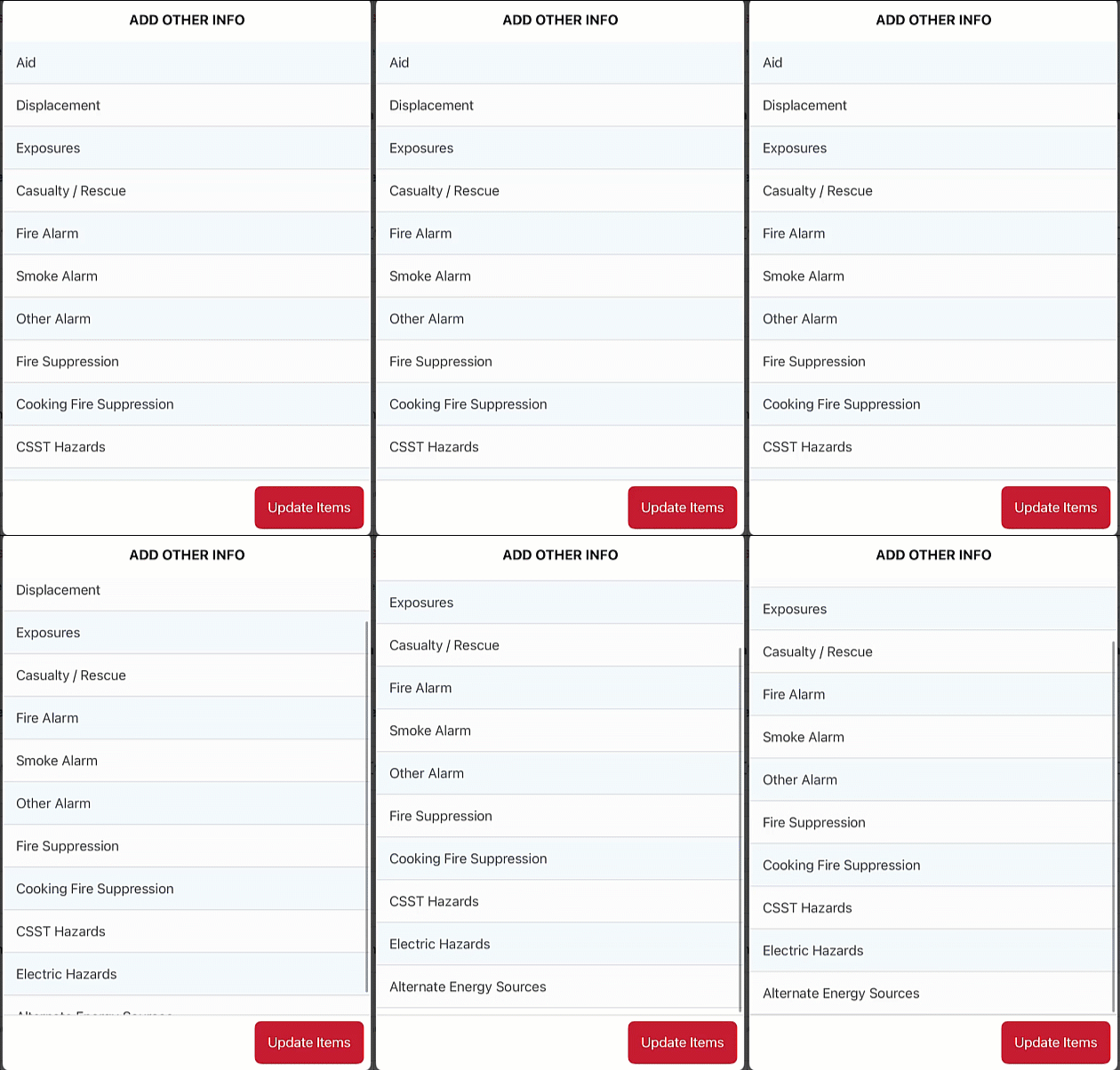
Once the additional items are selected, they will display at the bottom of the Basic Info tab.
Was this article helpful?
That’s Great!
Thank you for your feedback
Sorry! We couldn't be helpful
Thank you for your feedback
Feedback sent
We appreciate your effort and will try to fix the article