Incident List on the iPad
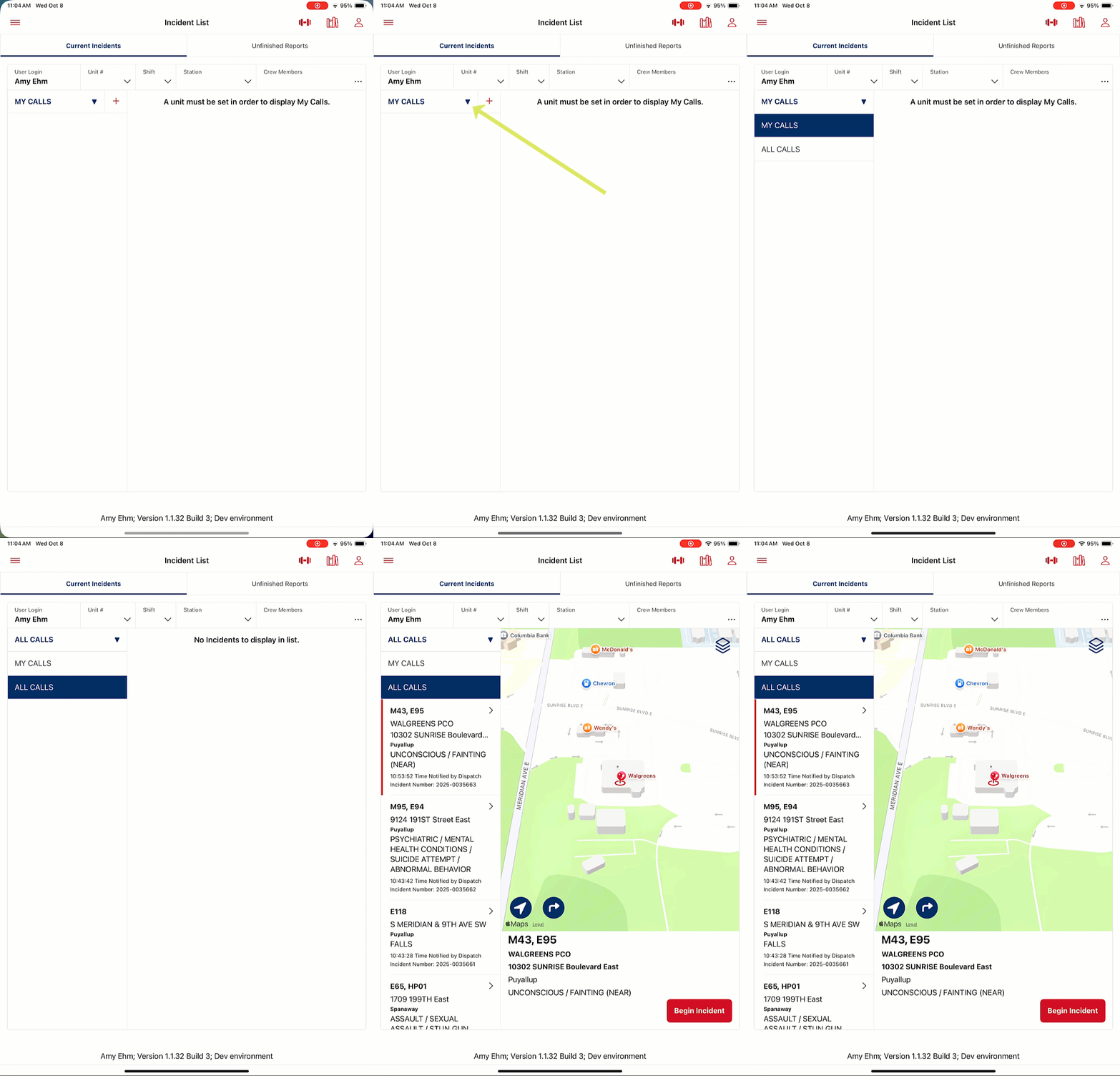
When users first enter the Incident List on the iPad, most likely, not all calls will display. Calls can be viewed by changing the display from MY CALLS to ALL CALLS by tapping the arrow next to MY CALLS and selecting the ALL CALLS option
To get Incidents to display in the MY CALLS view, the user must set their Unit's Call Sign, and then all calls that have that unit assigned will display in the MY CALLS list.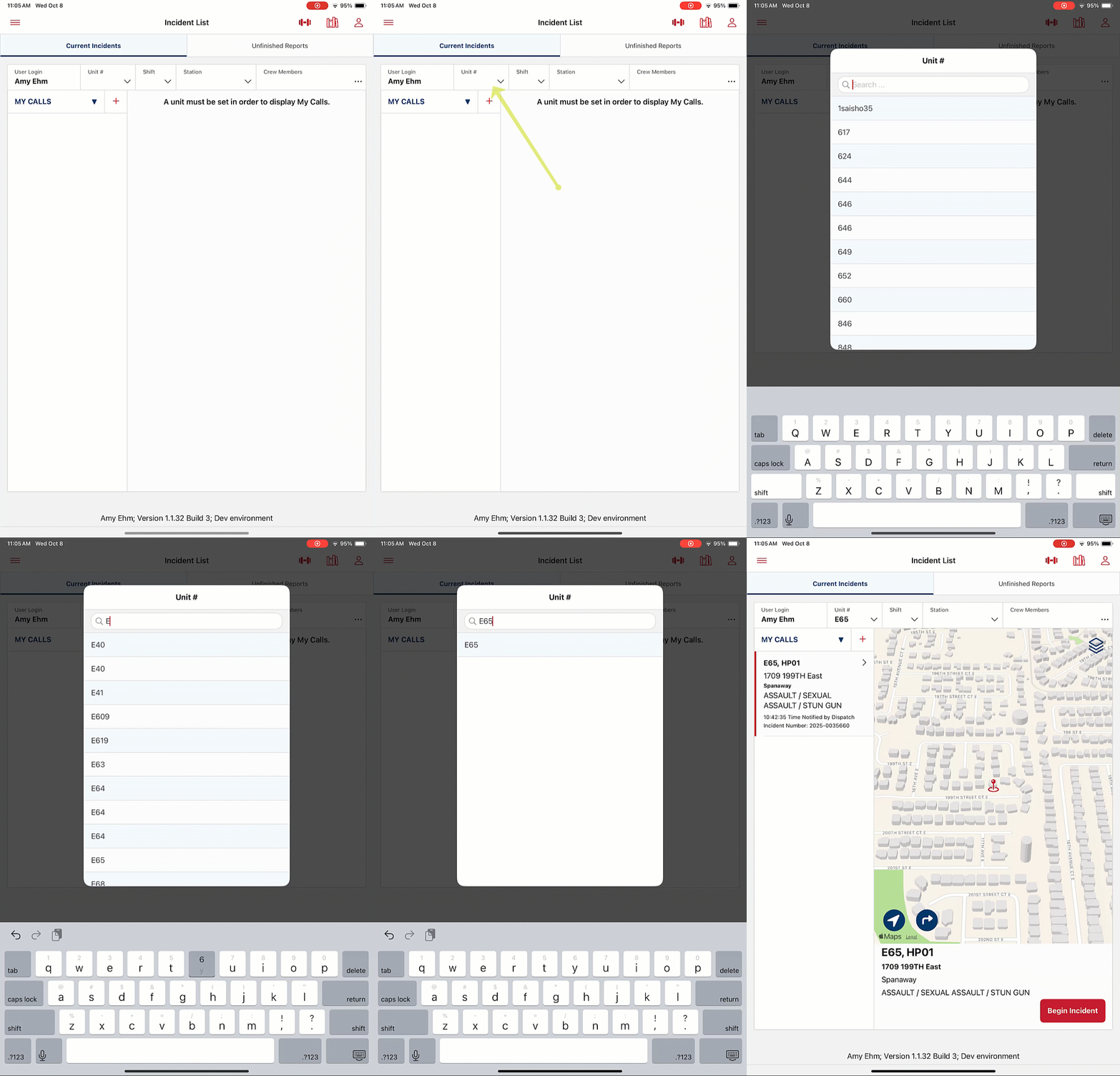
Once you set your unit, it will persist until the user removes the unit, or changes to another unit.
Was this article helpful?
That’s Great!
Thank you for your feedback
Sorry! We couldn't be helpful
Thank you for your feedback
Feedback sent
We appreciate your effort and will try to fix the article