How to find Unfinished Reports on the iPad
In the event that a user hits End Report to complete a report, but does not Upload the Report before returning to the list view on the iPad, the report can be found on the Unfinished Reports tab.
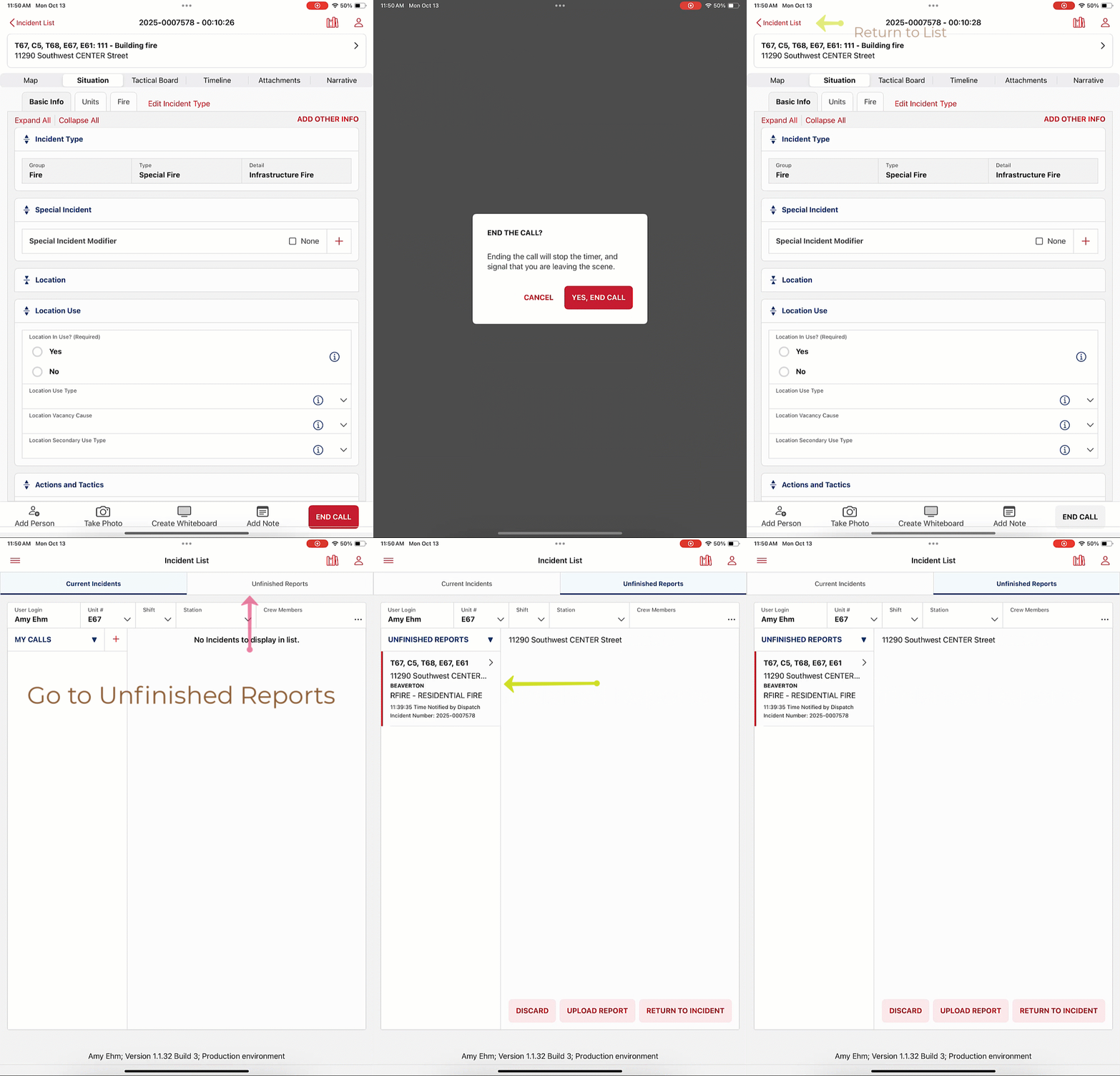
From this view, you can DISCARD the report - if you ended up doing everything on Portal and the data captured on the iPad isn't needed, UPLOAD THE REPORT directly from the list page, or RETURN TO INCIDENT, where the incident can be reviewed and Uploaded.
Additionally, from the Unfinished Reports list, the user can change the view to view old reports that were upload and are still on the iPad.
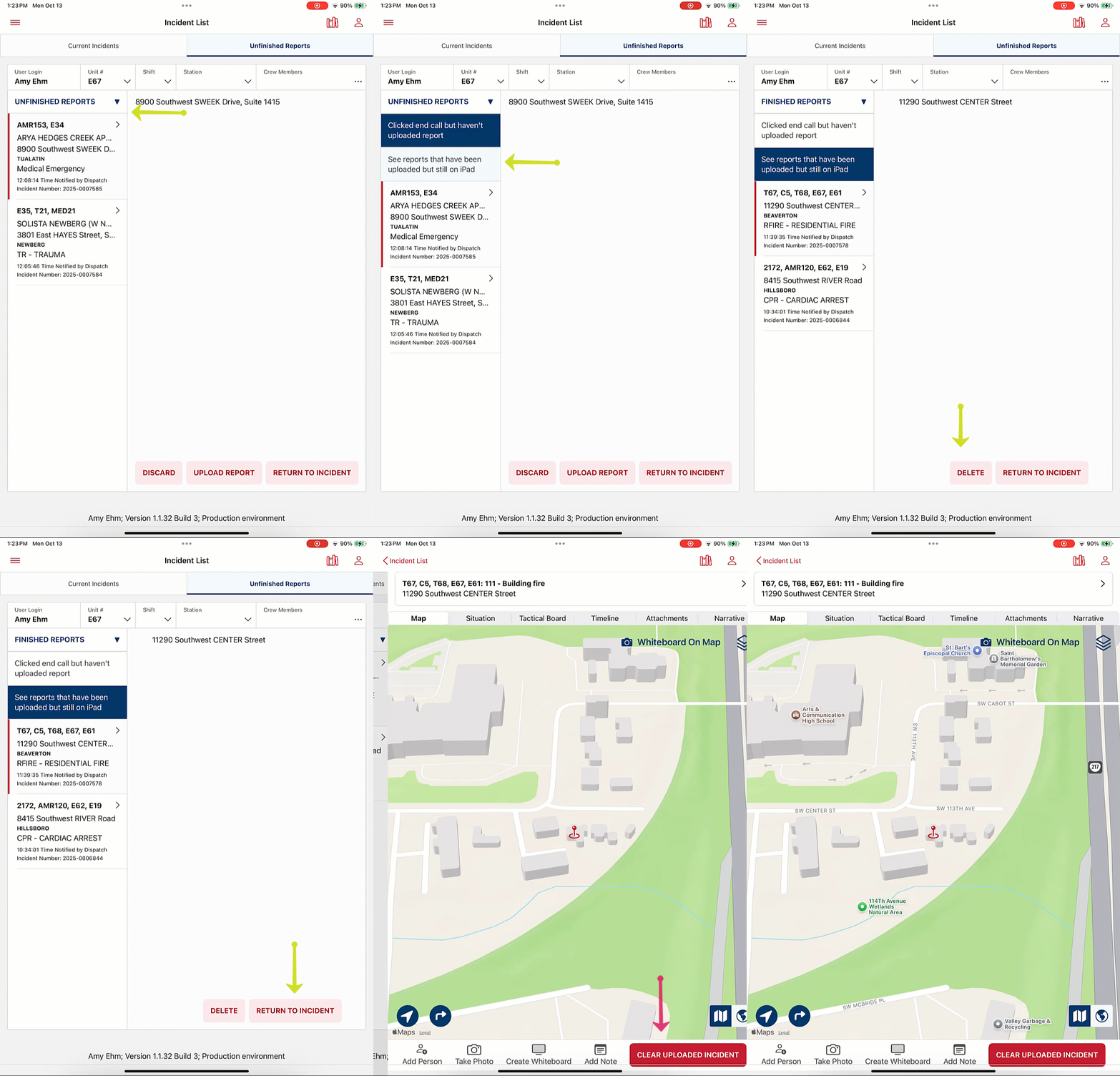
Users can clear these reports off the iPad manually.
NOTE: When viewing an incident from the Unfinished Reports list, and then tapping Incident List to navigate back to the incident list, the iPad will return the user to the Current Incident list, not the Unfinished Reports list.
Was this article helpful?
That’s Great!
Thank you for your feedback
Sorry! We couldn't be helpful
Thank you for your feedback
Feedback sent
We appreciate your effort and will try to fix the article