Typical Flow of an Incident Report
Emergent is designed to allow users to begin an incident report on the iPad while they are returning from an incident and then complete it on a computer via the portal, or the user can just use the computer to complete their incident report.
When starting an incident report on the iPad there are a few key rules:
- On the iPad, only one person can be editing the incident at a time. Additional unit narratives must be completed in the portal.
- The iPad indicates required fields, but the report can be ended and uploaded to the portal at any time.
- Once the incident has been uploaded from the iPad to the portal, it can no longer be edited on the iPad.
- All reports must be completed in the portal.
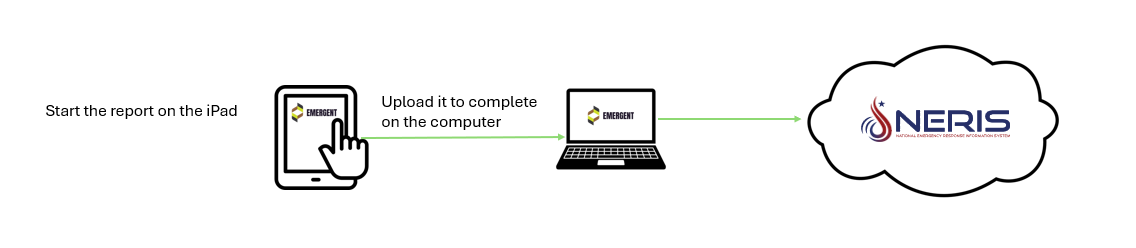
When working on an incident in the Portal some key differences are:
- If the iPad was used, edits should not be made to the incident report in Portal until AFTER the data on the iPad has been uploaded.
- In the Portal, only one user can edit the situation tab data (main NERIS report) at a time, however additional users can be adding their unit narratives, as long as each user provides a narrative for a different unit.
- Saving often is encouraged, however a report cannot be submitted to NERIS until all required fields are completed.
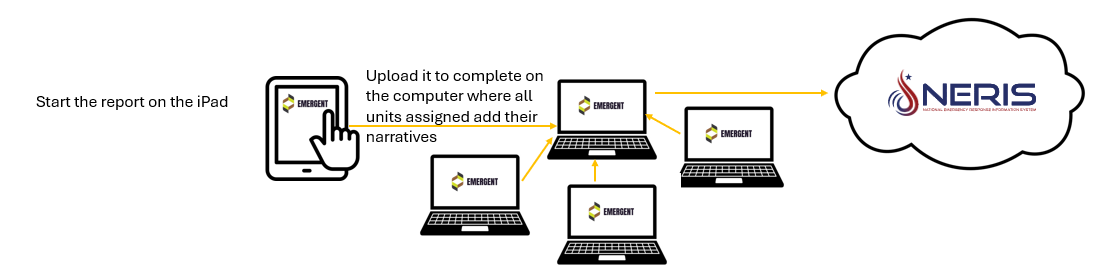
Of course, the incident can be completed in full in the Portal. Starting the incident on the iPad is not required:
- In the Portal, only one user can edit the situation tab data (main NERIS report) at a time, however additional users can be adding their unit narratives, as long as each user provides a narrative for a different unit.
- Unit narratives can be added before the Incident Report (Situation Tab) is started.
- Saving often is encouraged, however a report cannot be submitted to NERIS until all required fields are completed.
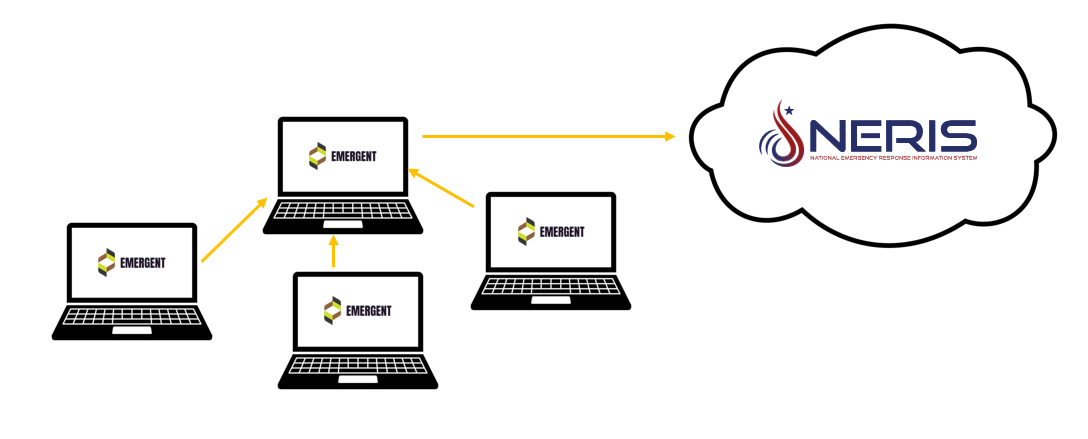
IMPORTANT!
While portal does allow multiple people to add narratives, only one person can edit the Incident Report. The system however will not block users from editing the same incident at the same time if this occurs:
- If 2 users are editing the same incident in Portal - the changes of the last person who saves will be retained.
- If a user uploads a report from the iPad after the incident is being editing in Portal, the updates saved in Portal will be retained.
Beginning an Incident on the iPad and Finishing it on Portal
Was this article helpful?
That’s Great!
Thank you for your feedback
Sorry! We couldn't be helpful
Thank you for your feedback
Feedback sent
We appreciate your effort and will try to fix the article