Incident Navigational Overview
Once the user selects an incident record from the list view, the incident displays with 2 levels of Tabs.
The top level of tabs (in the green box) are:
Situation - this is the primary location of the incident report. It is important to save changes made to the incident report before navigating to the remaining top level tabs.
Timeline - the timeline tab contains the timeline from the Tactical Board. User can add timeline items here as well.
Attachments - Any photos and whiteboards created on the iPad as well as Persons created on the ipad, while completing the Tactical Board or an Incident Report
Narrative - the narrative tab is where users will complete their unit narratives and Impediment Narrative. If a narrative was started on the iPad, it will be found here.
Dispatch - displays key data received from dispatch. By default, this page is read-only, however it can be toggled to allow editing when needed.
Records - contains the history of the report submission, and any post submission edits. Additionally the Incident Report PDFs can be accessed here.
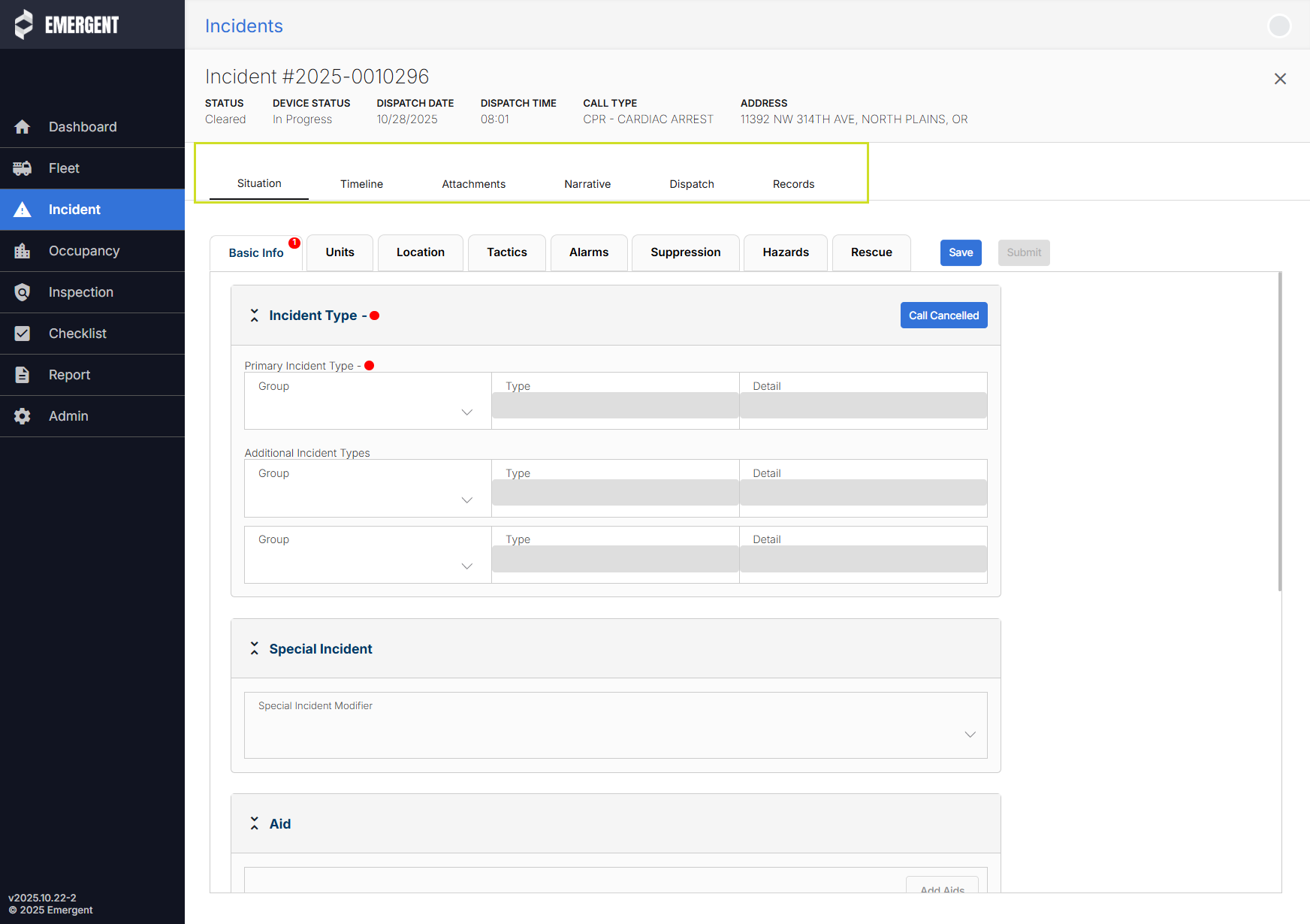
On the Situation tab, there is a second level of navigation, the tabs within the Incident Report. NERIS has a lot of potential data fields, and the tabs organize them into logical groups. As the user selects their Incident Type(s), additional tabs along with additional required fields will appear.
IMPORTANT!; Users must save their changes prior to navigating away from the Situation tab, or going to another URL in the browser window.
Was this article helpful?
That’s Great!
Thank you for your feedback
Sorry! We couldn't be helpful
Thank you for your feedback
Feedback sent
We appreciate your effort and will try to fix the article